Zoho CRM Next-Gen UI Explained: New Features, Teamspaces and Business Benefits
Zoho CRM Is Moving Beyond Traditional Sales Management
Customer relationship management is no longer limited to maintaining customer details, tracking leads, and managing sales opportunities. Modern businesses need different departments to work together, share relevant information, manage internal requests, and maintain visibility across business operations.
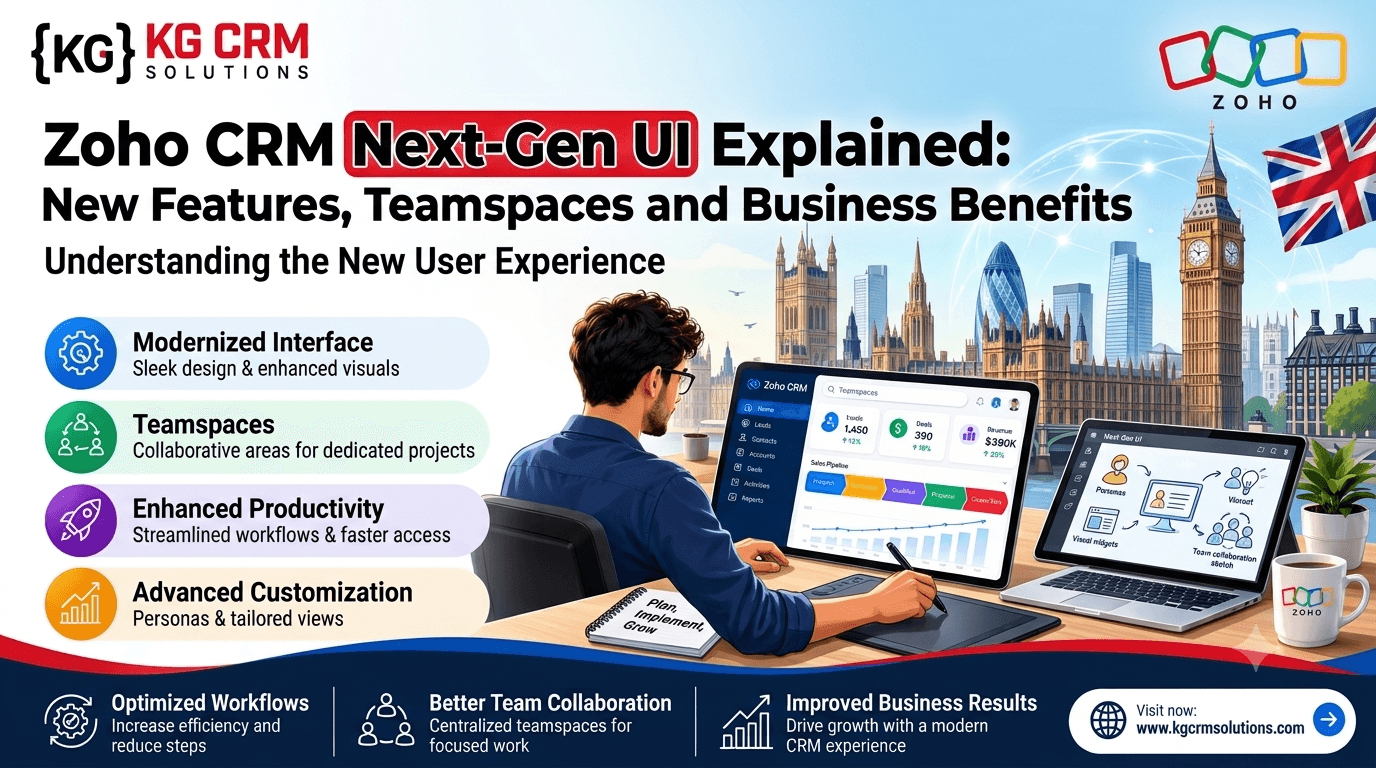
To support this approach, Zoho has introduced CRM for Everyone, featuring a redesigned experience known as the Zoho CRM Next-Gen UI.
The new interface brings several improvements to the existing CRM environment, including Teamspaces, Team Modules, Connected Records, new record views, and better collaboration between departments.
The objective is to make CRM more useful across an entire organization rather than limiting its use to the sales department.
For businesses looking for professional Zoho CRM consulting and implementation services, these updates create new opportunities to organize teams, simplify daily activities, and connect business processes within one platform.
In this guide, we will explore what’s new in Zoho CRM Next-Gen UI, how its features work, how businesses can benefit, and what to consider when planning a CRM transition.
What Is Zoho CRM Next-Gen UI?
Zoho CRM Next-Gen UI is an enhanced user interface and functionality upgrade to the existing Zoho CRM platform. It is part of Zoho’s broader CRM for Everyone initiative.
It is not a completely separate CRM product. Instead, it builds on the existing CRM environment while introducing a new navigation structure, team-based workspaces, additional modules, and improved ways to access and manage business information.
Previously, CRM usage was often concentrated around sales activities. Marketing, legal, operations, customer service, and other departments might have managed their work through separate applications, spreadsheets, emails, or internal communication tools.
CRM for Everyone aims to bring more of these teams into a connected CRM environment.
For example:
- Sales teams can manage leads, contacts, accounts, and deals.
- Marketing teams can organize campaign-related processes.
- Legal teams can manage contract requests and approvals.
- Operations teams can coordinate customer onboarding and service delivery.
- Support teams can access relevant customer information and coordinate follow-ups.
The new interface provides dedicated areas and processes for different teams while allowing them to collaborate using relevant CRM information.
Why Has Zoho Introduced CRM for Everyone?
In many organizations, departments work with the same customers but use different systems to manage their activities.
Consider a business that receives a new customer enquiry.
The sales team qualifies the lead and converts it into a deal. Once the deal is closed, the operations team needs to prepare for onboarding. The finance team may need to generate an invoice, while the legal team may need to prepare an agreement.
If these activities happen in disconnected systems, employees may need to exchange information manually.
This can create several challenges:
- Customer information gets duplicated across applications.
- Departments depend on emails for internal updates.
- Important requests are difficult to track.
- Employees spend time searching for information.
- Management has limited visibility into cross-department activities.
- Manual coordination increases the possibility of delays.
Zoho CRM for Everyone addresses these challenges by introducing team-specific workspaces, modules, and connected records.
The idea is simple: different departments can manage their own processes while remaining connected to the organization’s central CRM environment.
10 Important Features of Zoho CRM Next-Gen UI
1. Redesigned User Interface and Navigation
One of the first changes users notice is the redesigned CRM interface.
The previous interface used a horizontal navigation structure, where users accessed modules through the top navigation bar.
The Next-Gen UI introduces a vertical sidebar that provides access to modules and Teamspaces. Configuration options and commonly used actions are also easier to reach.
Key improvements include:
- A centralized sidebar for module navigation.
- Better use of available screen space.
- Easier access to configuration options.
- Quick access to frequently used CRM activities.
- Light, dark, and automatic display modes.
- A more organized workspace for everyday CRM activities.
Business benefit: Employees can navigate between modules and access relevant settings more conveniently. The updated layout also provides more room to work with customer records and business information.
2. Teamspaces: Dedicated Workspaces for Different Departments
Teamspaces are among the most important additions to Zoho CRM Next-Gen UI.
A Teamspace provides a dedicated working area for a particular department or group. Businesses can organize relevant modules, users, and processes within these spaces.
For example, an organization can create:
| Teamspace | Main activities |
| Sales | Leads, contacts, accounts and deals |
| Marketing | Campaigns, marketing enquiries and lead management |
| Operations | Customer onboarding and service delivery |
| Legal | Contracts, agreements and approval requests |
| Support | Customer issues and service coordination |
Each Teamspace can have its own members, administrators, and relevant modules.
This makes it easier for employees to access the information they need without navigating through unrelated modules.
Example: When a company has separate sales and operations teams, the sales team can manage opportunities in its workspace while the operations team handles onboarding activities in its own Teamspace.
Both departments can remain connected through relevant CRM records.
Business benefit: Teamspaces help businesses organize departmental activities, establish clearer ownership, and make CRM more relevant to employees outside sales.
3. Team Modules: Build Processes for Individual Teams
Traditional CRM modules generally organize common business records such as leads, contacts, accounts, and deals.
However, different departments often have additional requirements that standard modules cannot fully address.
This is where Team Modules become useful.
Team Modules allow organizations to create modules designed around specific departmental processes.
For example:
- The operations team can use a Customer Onboarding module.
- The legal team can maintain a Contract Management module.
- The finance team can organize Payment Requests.
- The support team can manage Internal Service Requests.
- The marketing team can track Campaign Approvals.
Businesses can configure relevant fields, layouts, automation, and access permissions for these modules.
Example:
When a sales representative closes a deal, the operations department may need customer requirements, delivery information, and onboarding details.
A dedicated onboarding module can help the operations team manage these activities instead of maintaining separate spreadsheets.
Business benefit: Team Modules make CRM more adaptable to business-specific processes and reduce dependence on disconnected departmental tools.
4. Connected Records: Link Information Across Departments
Connected Records is another important feature of Zoho CRM Next-Gen UI.
In a growing organization, information about the same customer can exist across multiple modules.
For example, a customer may have:
- A contact record in the CRM.
- A sales opportunity in Deals.
- A contract request in the Legal Team Module.
- An onboarding record in the Operations Team Module.
- A support request in the Support Team Module.
Connected Records allows users to establish relationships between relevant records, even when a direct lookup relationship is not already configured.
Records can be connected manually or through supported workflows.
Practical example:
A sales team closes a deal worth a certain amount.
After the deal reaches the Closed Won stage, an automation can create an onboarding record for the operations team and connect it with the original deal.
The operations team can then access the relevant customer context and manage the next steps.
Business benefit: Connected Records improve information visibility, reduce manual coordination, and help departments work with related customer information.
5. Requester Roles: Simplifying Internal Requests
Not every employee needs complete access to every CRM module.
Some employees only need to request information or services from another department.
Zoho CRM Next-Gen UI introduces requester-based collaboration to support this requirement.
For example:
- Sales can request a contract from the legal team.
- Operations can request payment confirmation from finance.
- Support can request customer information from another department.
- Marketing can request approval for a campaign.
The receiving department can manage the request through its Team Module.
This creates a more structured way to handle internal coordination.
Instead of relying entirely on email conversations or informal messages, teams can manage requests within the CRM environment.
Business benefit: Requester roles help establish clearer responsibilities and improve visibility into pending internal requests.
6. Chart View: Understand Business Data Visually
Businesses collect large amounts of CRM information every day.
However, reviewing records individually does not always provide a clear picture of business performance.
Chart View helps users understand CRM information through visual representations.
Depending on the configured data and available options, businesses can use charts to examine information such as:
- Deals by sales stage.
- Leads by source.
- Opportunities by sales representative.
- Customer distribution.
- Business activities across different categories.
For example, a sales manager can review the distribution of deals across different pipeline stages to identify where opportunities are getting delayed.
This makes it easier to identify patterns and take appropriate action.
Business benefit: Chart View improves data visibility and helps managers understand business activities without manually reviewing every record.
7. Timeline View: Follow Activities and Record Progress
Understanding the sequence of customer-related activities is important for sales and service teams.
Timeline View provides a chronological way to review relevant record information.
It can help employees understand how activities have progressed over time and review important updates associated with records.
For example, a sales manager may need to understand:
- When a lead was created.
- When the first call was completed.
- When a follow-up email was sent.
- When the deal stage was updated.
- When the next activity was scheduled.
By reviewing activities in chronological order, employees can understand the history of a customer or business record more easily.
Business benefit: Timeline View can improve follow-up planning and provide better context when reviewing customer relationships.
8. Interactions Tab: View Customer Communication History
Customer communication can happen through several channels, including calls, emails, meetings, and other CRM activities.
When this information is difficult to access, employees may not have the complete context before communicating with a customer.
The Interactions Tab provides a consolidated view of relevant interactions associated with a CRM record.
For example, before contacting a customer, a sales representative can review previous calls, emails, tasks, and updates.
This helps employees understand what has already happened and what needs to happen next.
Business benefit: A more accessible interaction history supports better customer communication and reduces the possibility of repeated or unnecessary follow-ups.
9. Split View and Grid View: Better Ways to Work with Records
The new interface also introduces additional ways to view and manage CRM information.
Grid View
Grid View offers a spreadsheet-style experience for reviewing records.
It can be useful when employees need to examine multiple records, update information, or work with large datasets.
Split View
Split View allows users to work with a list of records alongside the selected record’s details.
This can reduce the need to open and close multiple records when reviewing information.
Business benefit: These views provide different ways to work with CRM records depending on the user’s responsibilities and preferences.
10. Improved Configuration and Team-Based Permissions
CRM administration becomes more complicated as an organization grows.
Administrators need to manage modules, layouts, fields, user roles, access permissions, and automation.
The Next-Gen UI provides easier access to module-level configurations and team-based management.
Teamspaces and Team Modules also introduce more structured responsibility for managing team activities.
For example, a Teamspace administrator can manage team membership and the modules available in that workspace, while Team Module administrators can manage relevant module configurations and permissions.
Business benefit: Businesses can organize CRM administration more clearly and provide employees with access appropriate to their responsibilities.
Zoho CRM Old UI vs Next-Gen UI: What’s Different?
The following table highlights the major differences between the traditional interface and the Next-Gen UI.
| Area | Traditional UI | Next-Gen UI |
| Navigation | Horizontal top navigation | Vertical sidebar |
| Departmental workspaces | Tab Groups | Teamspaces |
| Team-specific processes | Mainly shared and custom modules | Dedicated Team Modules |
| Record relationships | Lookup-based relationships | Connected Records and workflows |
| Data visualization | Traditional views and reports | Additional Chart View |
| Record history | Existing activity views | Timeline View and Interactions Tab |
| Internal coordination | Emails and external communication tools | Structured requests within CRM |
| Configuration | Centralized Setup navigation | Easier module-level configuration access |
| Display modes | Traditional interface options | Light, Dark and Auto modes |
The Next-Gen UI does not replace the core CRM functionality. Existing records, modules, workflows, roles, and permissions generally carry over, although some interface elements and team-based features require attention during the transition.
Zoho CRM Next-Gen UI Feature Availability by Edition
Not every feature is available in every Zoho CRM edition.
Businesses should review their subscription before planning to use specific functionality.
| Feature | Free | Standard | Professional | Enterprise / Ultimate |
| New interface | Yes | Yes | Yes | Yes |
| Teamspaces | No | Yes | Yes | Yes |
| Team Modules | No | Yes | Yes | Yes |
| Grid View | Yes | Yes | Yes | Yes |
| Split View | Yes | Yes | Yes | Yes |
| Chart View | No | Yes | Yes | Yes |
| Connected Records | No | Yes | Yes | Yes |
| Timeline View | No | No | No | Yes |
| Interactions Tab | No | No | No | Yes |
Note: Feature entitlements and limits can vary by edition and subscription bundle. Confirm the latest availability with Zoho before upgrading or planning your implementation.
How Can Different Businesses Benefit from Zoho CRM Next-Gen UI?
The benefits of CRM for Everyone are not limited to one industry. Its team-based structure can support businesses with multiple departments and interconnected processes.
1. Real Estate Businesses
Real estate companies often manage property enquiries, site visits, customer discussions, documentation, and booking activities.
With Zoho CRM Next-Gen UI, teams can organize their work around dedicated modules.
For example:
- Sales teams can manage property enquiries and deals.
- Legal teams can manage documentation and agreements.
- Operations teams can coordinate property handovers.
- Management can review sales performance through charts.
2. Insurance Companies
Insurance businesses need coordination between sales representatives, policy processing teams, and customer support departments.
Teamspaces and Team Modules can help organize policy-related activities, internal requests, and customer information.
For example, a sales representative can raise a request for policy documentation while the relevant department manages the request through its dedicated module.
3. Construction Companies
Construction businesses manage multiple activities, including enquiries, quotations, project approvals, customer communication, and delivery coordination.
A customized Zoho CRM environment can help connect sales and operations processes.
Team Modules can be designed for project enquiries, approvals, and internal coordination according to business requirements.
4. Professional Services Companies
Consulting firms, agencies, and service providers often need to coordinate sales, project delivery, finance, and customer support.
The Next-Gen UI can help organize these activities into dedicated workspaces and connect related records.
This makes it easier to maintain visibility from the initial enquiry to service delivery.
5. E-commerce and Trading Businesses
E-commerce and trading companies may need to coordinate customer enquiries, order-related communication, finance, and fulfilment.
Zoho CRM can be configured to support these processes through suitable modules, integrations, and workflows.
The Next-Gen UI provides additional opportunities to organize responsibilities across departments.
How to Prepare Your Business for Zoho CRM Next-Gen UI
Moving to a new CRM interface should not be treated as simply changing the appearance of your software.
Businesses should first understand how their existing CRM environment is configured and how employees use it.
Here are some practical steps to consider.
Step 1: Review Your Existing CRM Setup
Start by reviewing the modules, fields, layouts, workflows, user roles, and permissions currently used by your organization.
Identify which features are working properly and which processes need improvement.
Step 2: Identify Departmental Requirements
Understand what each department needs from the CRM.
For example:
- What information does the sales team need?
- Which activities should marketing manage?
- What information does the operations team require?
- Which internal requests need approval?
- Which records should be visible to other departments?
This helps determine how Teamspaces and Team Modules should be structured.
Step 3: Plan Teamspaces and Team Modules
Create a clear structure for your departments.
Avoid creating unnecessary workspaces or duplicate modules. Each Teamspace should have a defined purpose, relevant users, and appropriate access permissions.
Step 4: Review Connected Records and Automation
Identify where different departments need to share information.
Configure suitable record relationships and workflows to support processes such as deal handovers, onboarding requests, approvals, and customer service coordination.
Step 5: Test Permissions and User Access
Before introducing the new structure across the organization, check whether employees can access the correct modules and records.
Make sure users have the permissions required to complete their responsibilities without exposing unnecessary information.
Step 6: Train Employees and Monitor Adoption
A CRM system delivers value when employees understand how to use it.
Provide practical training for each department and explain how its daily activities will be managed in the updated interface.
Monitor adoption, collect feedback, and make improvements where necessary.
Why Do Businesses Need a Zoho CRM Implementation Partner?
Zoho CRM Next-Gen UI introduces useful capabilities, but implementing them correctly requires an understanding of business processes.
Simply enabling new features does not guarantee better collaboration or improved productivity.
For example, creating multiple Teamspaces without planning departmental responsibilities can make the CRM more complicated.
Similarly, connecting records without defining the right data relationships can create confusion for employees.
A professional Zoho CRM implementation partner can help businesses plan and configure their CRM environment according to their operational requirements.
Important areas of implementation include:
- Zoho CRM Consulting: Understanding existing processes and identifying the right CRM structure.
- Zoho CRM Implementation: Configuring modules, layouts, users, roles, and permissions.
- Zoho CRM Customization: Developing custom modules, fields, functions, and business-specific features.
- Zoho CRM Automation: Automating internal requests, notifications, approvals, and repetitive activities.
- Zoho CRM Integration: Connecting CRM with other Zoho applications and third-party business systems.
- Zoho CRM Migration: Reviewing and transferring data from existing CRM systems.
- Zoho CRM Support and Maintenance: Monitoring existing configurations and improving the system as business requirements change.
At KG CRM Solutions LLP, we help businesses implement, customize, integrate, and automate Zoho applications based on their business processes.
Explore our Zoho-focused solutions to understand how we can help your organization build a connected business environment.
How KG CRM Solutions Can Help You Get More from Zoho CRM
KG CRM Solutions LLP is a Zoho-focused consulting and implementation company with over 8 years of experience in Zoho solutions.
We work with businesses across India, Canada, the USA, the UAE, New Zealand, Australia, and other international markets.
Our services include:
- Zoho CRM consulting and implementation.
- Zoho CRM customization and development.
- Zoho CRM integration and API development.
- Zoho CRM automation and workflow configuration.
- CRM data migration and system integration.
- Zoho Creator application development.
- Zoho Analytics reports and dashboards.
- Zoho One implementation and business process automation.
Our approach starts with understanding how your business operates. We then recommend a suitable Zoho configuration, develop the required functionality, test the workflows, and support your team during implementation.
Whether you are starting with Zoho CRM or planning to improve an existing CRM setup, we can help you evaluate the right approach.
Explore our Zoho CRM consulting, implementation and customization services or contact our Zoho CRM consulting team to discuss your requirements.
Frequently Asked Questions About Zoho CRM Next-Gen UI
1. What is Zoho CRM Next-Gen UI?
Zoho CRM Next-Gen UI is an enhanced interface introduced as part of CRM for Everyone. It includes improved navigation, Teamspaces, Team Modules, Connected Records, and additional record views.
2. Is CRM for Everyone a separate Zoho CRM product?
No. CRM for Everyone is an enhancement to the existing Zoho CRM platform. It adds new functionality and a redesigned user experience while retaining the core CRM environment.
3. What are Teamspaces in Zoho CRM?
Teamspaces are dedicated workspaces for different departments or teams. They allow businesses to organize relevant modules, members, and activities in one place.
4. What is the difference between Teamspaces and Team Modules?
A Teamspace is the dedicated working area for a team. A Team Module is a module designed to manage a specific process within that team.
For example, the Operations Teamspace may contain a Customer Onboarding Team Module.
5. Will existing CRM data be lost when switching to the Next-Gen UI?
Zoho states that existing records, modules, workflows, roles, and permissions generally carry over to the new interface. However, businesses should review elements such as Tab Groups and existing activities before transitioning.
Final Thoughts: Is Your Business Ready for Zoho CRM Next-Gen UI?
Zoho CRM Next-Gen UI represents an important development in how businesses can use CRM across their organizations.
Features such as Teamspaces, Team Modules, Connected Records, Requester roles, Chart View, Timeline View, and the Interactions Tab provide more ways to organize business activities and connect departments.
The biggest opportunity is to move beyond using CRM only for sales management and create a connected environment where different teams can manage their responsibilities while sharing relevant customer information.
However, getting the best results requires proper planning, customization, automation, and user adoption.
If your business is already using Zoho CRM or planning to implement it, now is a good time to review your existing processes and explore how the Next-Gen UI can support your operations.
Looking to implement or customize Zoho CRM for your business?
KG CRM Solutions LLP can help you plan, implement, customize, integrate, and optimize your Zoho environment.
Contact KG CRM Solutions – Zoho CRM Consultants and Implementation Experts to discuss your requirements and find the right solution for your business.
You can also explore the official Zoho CRM platform for product information and features.
About KG CRM Solutions LLP
KG CRM Solutions LLP provides Zoho CRM consulting, implementation, customization, automation, integration, migration, and development services. With over 8 years of Zoho-focused experience, the team helps businesses build connected systems using Zoho applications.
Read Related blogs: Zoho CRM with Shopify for E-commerce Automation

About the Author
Parveen Kumar | Founder @ KG CRM Solutions
Parveen Kumar is the founder of KG CRM Solutions, a Zoho Authorised Partner based in Mohali, Punjab. He has been building Zoho systems for businesses across India, the UK, Australia, Canada, and the US for over 8 years, specialising in Zoho CRM, Zoho Creator, Deluge scripting, custom integrations, and widget development.